 Chris Senner
I’ve been making beats and producing music for over 20 years, including years of writing and producing with Vinyl Theatre. During that time, I’ve used everything from compact 25-key controllers to full-size workstations, and the best keyboard for beat making really comes down to workflow.
For this list, I focused heavily on speed, pads, keybed quality, software integration, and how quickly each keyboard lets me turn an idea into an actual beat. Producers who play piano may benefit from 49 or 61 keys, while producers working primarily with drums, samples, and loops may be better served by a compact controller with great pads.
These are the keyboards I recommend for making beats in 2026 based on my experience playing and producing with them.
| IMAGE | PRODUCT | DETAILS | CHECK PRICE |
|---|---|---|---|
EDITOR’S CHOICE 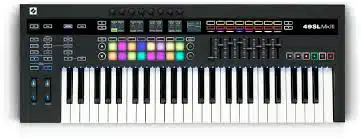 |
|
||
RUNNER UP 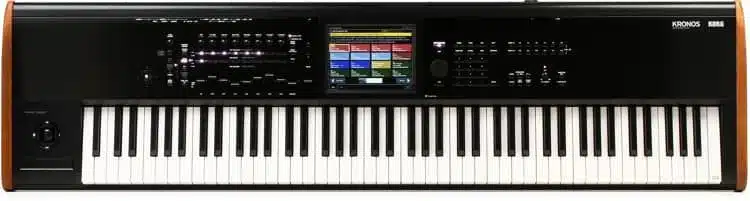 |
|
||
BUDGET  |
|
||
ALTERNATIVE 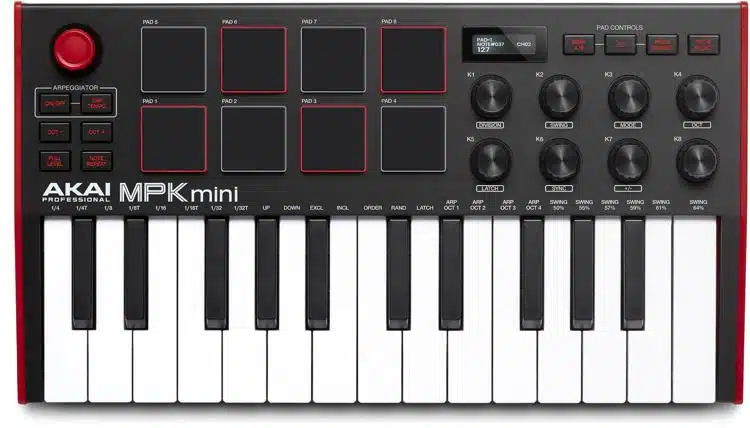 |
|
There are two options that I think are great choices for keyboards for making beats. One is the workstation keyboard and the other is the MIDI keyboard.
Both of these options allow you to make beats, however, MIDI controllers require a PC or laptop.
Our Picks
Now that you have an understanding as to why some keyboards are better than others for laying down beats, let’s get into the list!
Novation SL MKIII 61
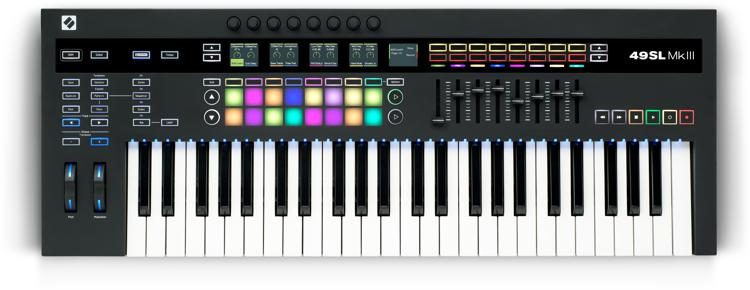
The Novation SL MK III is one of my favorite controllers on the market. All of the controls are pre-mapped with Ableton and work out of the box.

The Novation SL MK III not only makes it easy to lay down beats, but it also is an absolute powerhouse that allows you to do much more.
You have the ability to control hardware synths with this keyboard and it also has a great sequencer.
When making beats, one of the more important things in a session is the workflow. This keyboard has been streamlined to greatly increase your workflow, making it so you don’t have to keep looking at your computer.
This keyboard does not have speakers and you will need to connect it to a PC or laptop in order for it to make sound.
Novation Launchkey 25 MK4
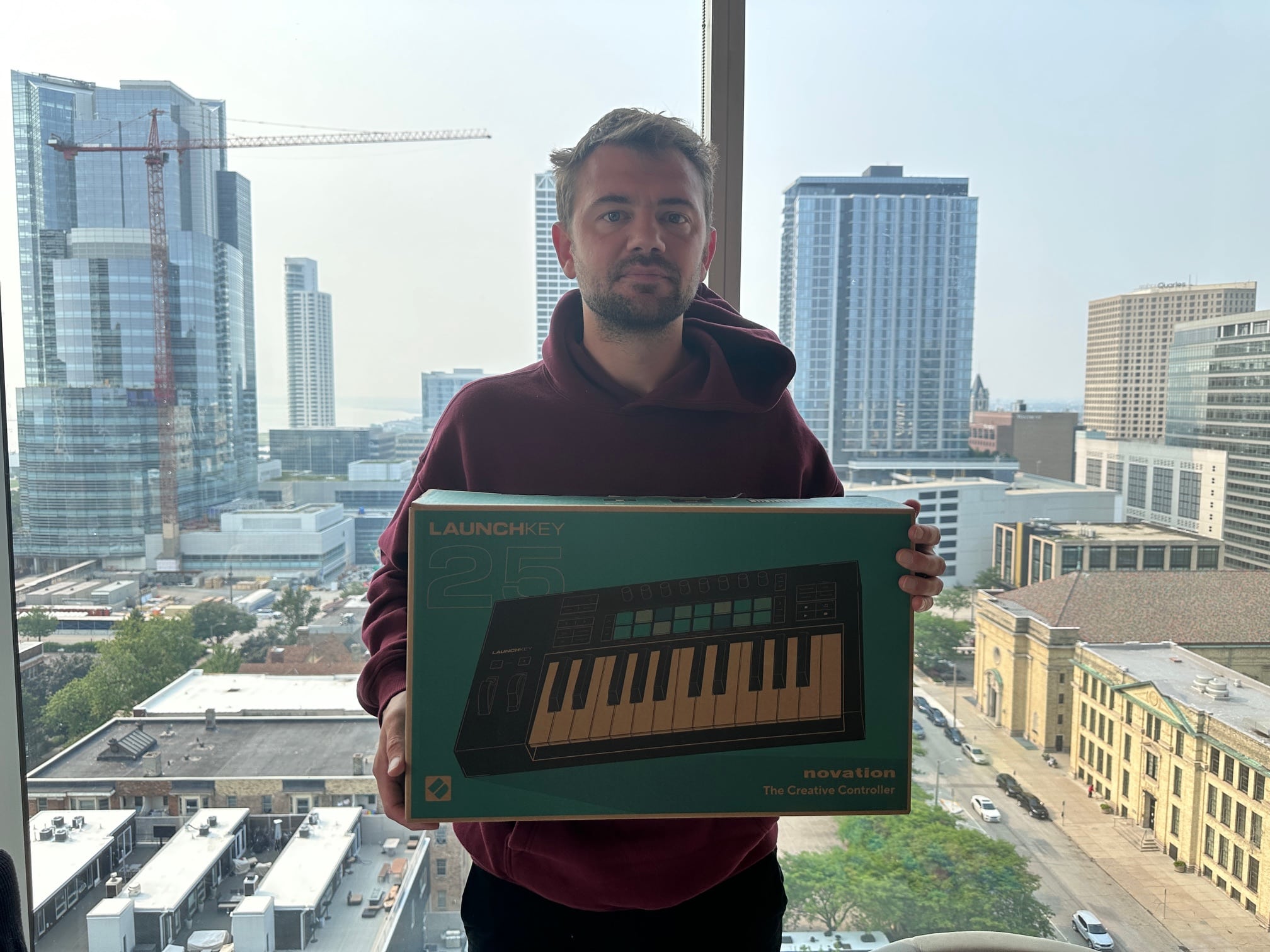
The Launchkey MK4 25 is one of the best value MIDI keyboards on the market allowing for ultimate control and great portability/connectivity.
The Novation Launchkey MK4 25 is my top budget pick for beat makers who want something compact, affordable, and genuinely useful inside a modern DAW. I’ve used a lot of small MIDI controllers over the years, and this is one of the few that doesn’t feel like it’s cutting corners where it matters.
It’s especially strong for producers working in Ableton Live, but it also plays nicely with Logic Pro, FL Studio, and other major DAWs. The pads are responsive enough for finger drumming, the knobs are actually usable for shaping sounds, and the layout makes sense the second you put your hands on it.
If you’re building beats in a bedroom setup, on a laptop, or just want a no-nonsense controller that lets you get ideas down fast, this one punches way above its price.
Pros
• Excellent value for the price
• Tight DAW integration, especially with Ableton Live
• Responsive pads for drums and samples
• Compact size that fits small desks and travel setups
• Knobs and controls feel intentional, not filler
Cons
• Mini keys won’t be for everyone
• Not ideal if you want to play complex two-handed parts
• Lighter build compared to full-size controllers
What I Like
I really like how fast it is to make beats on this keyboard. The pads are laid out well, they respond consistently, and they don’t feel mushy like a lot of budget controllers. For drum programming, this is one of the better small options out there.
The MK4 also does a great job of staying out of your way. You’re not buried in menus or weird modes. You load up your DAW, and everything just works. That’s exactly what you want when inspiration hits.
What I Don’t Like
The mini keys are the obvious tradeoff. They’re fine for bass lines, chords, and melodies, but if you’re coming from a full-size keyboard, there’s an adjustment period.
I also wouldn’t pick this if you want one controller to do everything. This is clearly designed for beat making and production, not as a primary performance keyboard.
Verdict
If you’re looking for the best budget keyboard for making beats, the Novation Launchkey MK4 25 is an easy recommendation. It’s affordable, compact, and actually fun to use, which isn’t always the case at this price point.
Alesis VI 61

The Alesis VI61 is an alternative choice that I enjoy. The keys have solid action and this controller works out of the box with most major DAWs.
The Alesis VI 61 is an instrument that isn’t going to give you the headaches that some of the controllers we won’t mention will. If you’re using FL Studio or a DAW that isn’t extremely popular, you don’t have to worry about the compatibility with this controller.
It comes with a full-color screen with 12 knobs and 16 drum pads. The best feature on this keyboard is it comes with aftertouch for the keys. This is extremely useful and can give the musician amazing textures.
Novation Launchkey37 MK 3

The Launchkey 37 MK3 is one of my favorite MIDI keyboards that I own. I use this daily and it's not only reliable with all major DAWs, it's also intuitive,
The Novation Launchkey has come a long way since when it first hit the market. This controller is really good with Ableton as it was practically built for Ableton. It still works well with all of the DAW’s, it is just really user-friendly for Ableton.
The Launchkey has 16 drum pads and a lot of extra software for free.
If you’re looking for a cheap keyboard for making beats, this is definitely a great option with adequate keys.
Roland FA 08
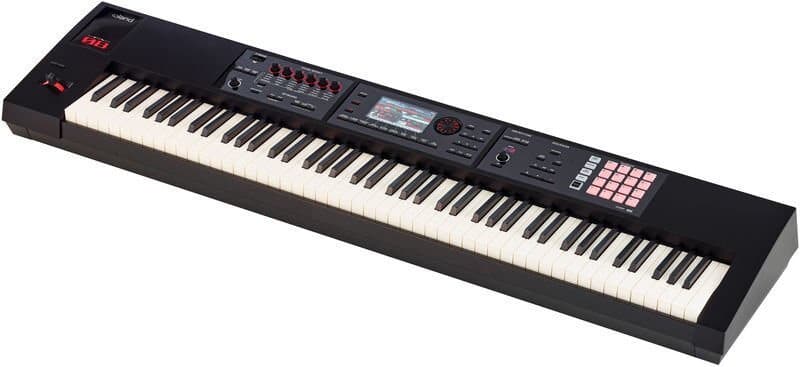
The FA 08 is my touring keyboard that I also run as a MIDI controller. This is a great option as it doesn't overheat like other keyboards I have had. It is also far cheaper than other options.
The Roland FA series is an affordable option by Roland and also one of the most popular. The keys on this workstation feel like real ivory keys which is really hard to find on a keyboard. The customization is really nice on this product as it has faders that allow you to mix and tweak sounds to your liking.
I recently did an in-depth look at the FA 08 and you can read that full review here.
There is a built-in arpeggiator along with the Roland staple D-beam synthesizer. The D-beam is basically a synthesizer in which you hold your hand over a sensor and it makes crazy noises.
Take a beat in a trap rap song, you could use the D-beam to play crazy samples in the background. It will give it a unique touch to some of your productions.
Korg Nautilus

The Korg Nautilus is a successful streamlined version of the iconic Kronos. This workstation is affordable, yet still capable of doing many things we've all loved with the Kronos. On top of this, the sounds vary from the Kronos.
The Korg Nautilus is a very powerful keyboard that is used by a lot of hip-hop producers currently. It has 9 different sound engines and a nice feature is how easy the screen is to use. For musicians who are touring, you can set different set-lists that contain all of your different sounds.
All of the drum sounds might seem a little thin at first with this keyboard, but you can tweak and edit them to your liking. The 88 hammer-action keys are a big plus as they feel just like a real piano. You can sample and install different sounds with this as well.
Yamaha Montage

The M8X blew me away sonically from the second I laid down my first chords, although it seems that most of the sounds are layered in reverb. If you're a fan of the montage series overall, you will like this.
The Yamaha Montage is one of the premier beat maker keyboards available. This is so powerful that it will take years to learn all of the features and effects you can use with it. It has a fantastic key-bed and a purely analog circuit. This is extremely rare in a workstation and one of the nicest things about it.
The Motif has an amazing interface that makes it extremely useful for putting together tracks. You can grab some kits and instantly dive into your beat-making process.
This is an expensive option, but doesn’t rely on a brand new laptop in order to get you some great sounding beats.
It comes with 2 completely different sound engines for different styles of music. If you liked the Yamaha Motif, this is the next step up in the Yamaha workstation. It has similar sounds and plays similar, but it goes further with the editing and controls you have at your fingertips.
Akai MPK Mini MK 3 – Best Budget Beat Maker Keyboard

The Akai Mini MK3 is a premiere mini controller that is one of the most popular controllers sold. I think it's a great option and I highly recommend it.
The Akai MPK Mini MK3 is Akai’s latest controller that replaces the best seller of MIDI keyboards of all time, the MPK Mini MK2.
This is easily the best beat maker keyboard for those on a budget. Since it’s small, you can use it in a bedroom, in a van, or even in your living room should you choose.
Portability is one of the reasons why this keyboard has been great for making beats. Another reason is the fact that it’s powerful.
Depending on the beats that you’re making, the only limiting factor you would have would be smaller keys. With this being said, you don’t typically need to play super complex parts when making beats.
If you are looking to really take advantage of a piano background, go with one of the workstation options above.
Things To Consider When Purchasing A Keyboard For Beat Production
Price: Price is going to be important because there is a big jump in pricing from MIDI controllers to workstations. Knowing your budget will allow you to figure out which is best for you.
Experience: Do you have any sort of background in keyboards or playing the piano? If you come from a classical or jazz background and you know how to play, you might want to look at workstations as the key-beds are typically better. MIDI controllers typically have a smaller number of keys and they can have weak key-beds.
Music Production Background: If you have producing experience you may want to go with a controller as there are so many DAW’s that you can access and take advantage of. This is the reason that I personally prefer them. Unlimited sounds is really something that is hard to beat.
If you’re on a budget and looking to create beats, a free DAW could be a great option to check out.
Number Of Keys: Check to see how many keys are on the keyboards you’re looking at. Some producers making beats actually will prefer a smaller number of keys with more pads.
Conclusion
I hope you found this review of the best keyboards for making beats helpful. All of these options have their own purposes and it’s up to you as the musician to decide what’s best for your needs.


 Chris Senner